


Boosts are items you keep in your barn and switch on when it suits you. While a boost runs, a small badge in the farm’s top bar shows it; tap it to see how long it has left.
The boosts
| Boost | Effect | Lasts |
|---|---|---|
| XP Boost | +25% XP | 1 h or 2 h |
| Coin Boost | +25% coins | 1 h or 2 h |
| Yield Boost | +1 crop on every harvest | 1 h or 2 h |
| Craft Speed Boost | Crafting 30% faster | 1 h or 2 h |
| Smelting Potion | Refinery 20% faster | 1 h |
| Friend Crop Boost | Crops grow 10% faster | 30 min |
| Friend Craft Boost | Crafting 10% faster | 30 min |
Boosts do not take up barn space.
Using a boost
- Open your barn and switch to the Boosts tab.
- Tap a boost and activate it. The timer starts right away.
- A speed boost also speeds up what is already growing or crafting, not just what you start afterwards.
Only one boost of each kind can run at a time. You cannot start a second XP Boost while one is active, for example, but an XP Boost and a Coin Boost can run side by side. Friend boosts are the exception: a second one adds another 30 minutes to the one that is running.
Where boosts come from
 Lucky Cards and the
  Login Gift
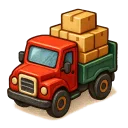 Trucks, which pay boosts when you fill all four boxes
- A Perfect round at the
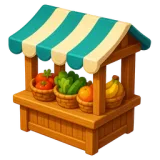 Market Stall
  Friends, whose help sometimes brings a friend boost or a 1-hour boost
- The
 Diamond Merchant, who sells every boost for diamonds
Tips
- Save XP and Coin Boosts for a session where you deliver a lot: a full
 Harbor boat, a truck
or a stack of orders.
Harbor boat, a truck
or a stack of orders.  Visitors and orders pay the boosted amount.
 - Start a Yield Boost right before you harvest a full set of fields, then replant and harvest again while it lasts.
- Start a Craft Speed Boost while every crafting slot is busy with long recipes.